Local History Guide / Claude Code
Find and Search Claude Code Session History on macOS
Claude Code transcripts often become the only durable record of an implementation: prompts, assistant responses, tool calls, command output, file paths, and errors. Agent Sessions indexes those local JSONL transcripts so old Claude Code work is searchable beside the other coding agents on your Mac.
Agent Sessions reads local transcript files in read-only mode. It does not upload Claude transcripts or claim access to hidden model/runtime state.
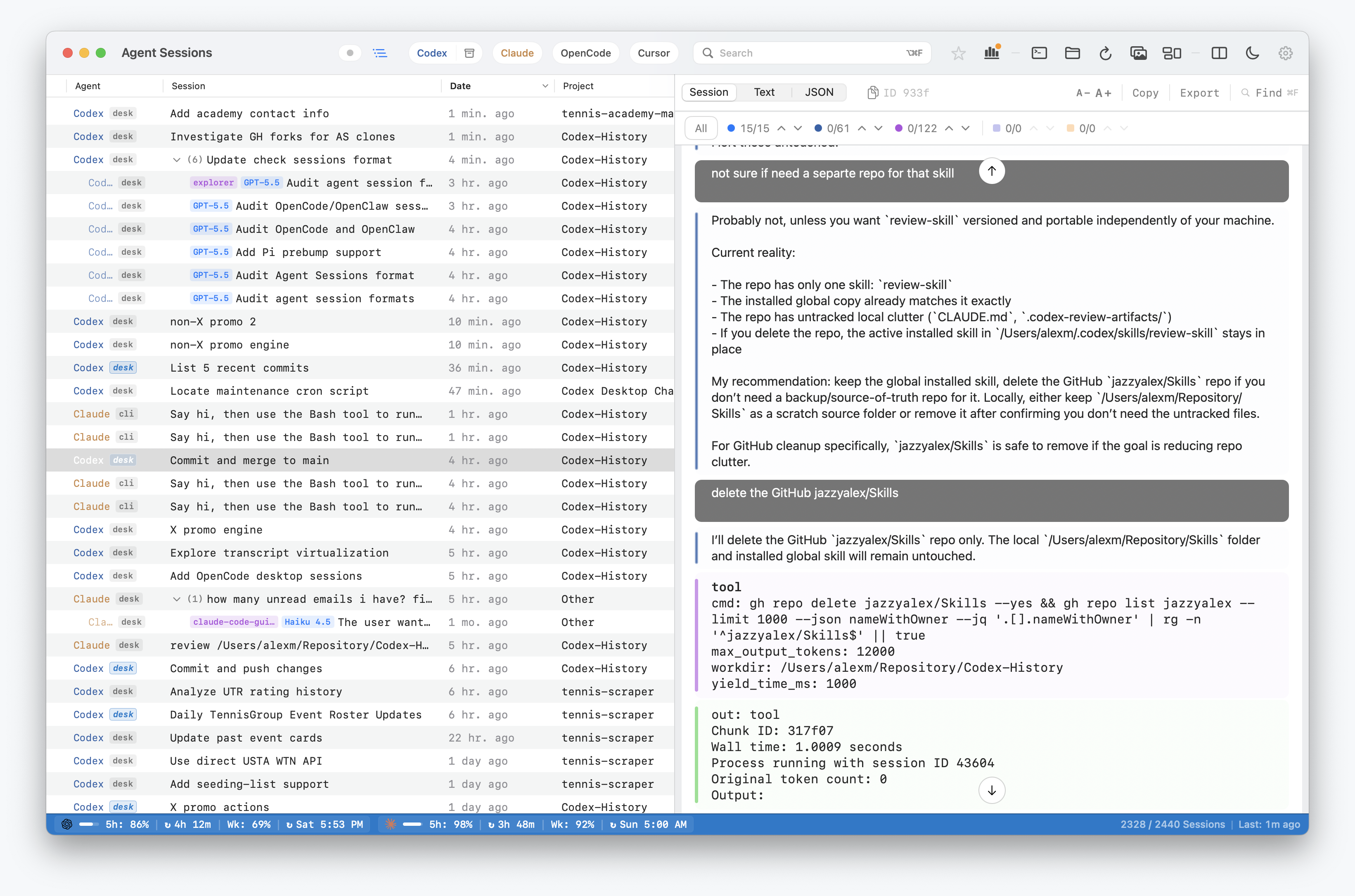
How to Find an Old Claude Code Session
- Open Agent Sessions and choose Claude Code in the source filter.
- Search for a remembered prompt, command output, error, file path, or response.
- Open the matching transcript and use in-session Find to move between matches.
- When the installed Claude CLI exposes a compatible resume mode, copy or open the resume command.
If the session is absent, check configured Claude roots and CLAUDE_CONFIG_DIR. Agent Sessions cannot recover a JSONL file that Claude deleted or never persisted.
Where Claude Code Stores Local Data
Standard Claude Code session history lives under:
~/.claude/projects/<encoded-cwd>/<session-id>.jsonlAgent Sessions also scans configured Claude roots, CLAUDE_CONFIG_DIR, CLAUDE_CONFIG_DIRS, and Claude Desktop local-agent-mode roots when they are present.
What Agent Sessions Does
- Lists Claude Code sessions by project, time, and source surface.
- Full-text searches prompts, assistant text, command output, tool calls, tool results, file paths, and error text.
- Shows readable transcript timelines instead of raw JSONL.
- Keeps Claude rows separate from Codex, OpenCode, Cursor Agent, Hermes, OpenClaw, Gemini, Copilot, and Pi.
- Supports resume workflows where the installed Claude command exposes a compatible resume mode.
Recovery Boundary
The important boundary is transcript context versus hidden runtime state. Agent Sessions can search and display content Claude wrote to disk. It cannot recover model internals, encrypted state, remote-only context, or information that was never persisted locally.