Local History Guide / OpenCode
OpenCode SQLite History: Browse Old OpenCode Runs on macOS
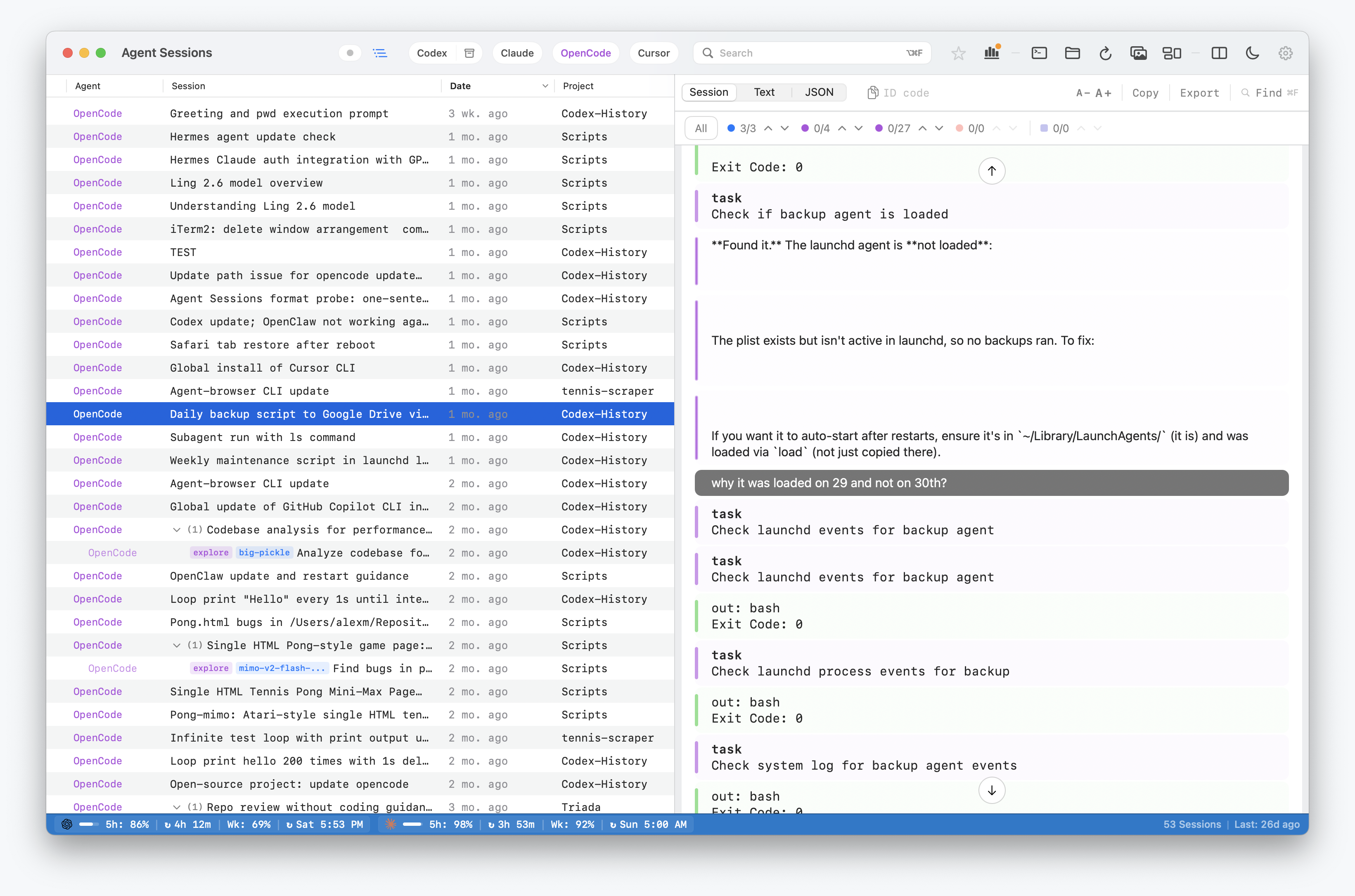
OpenCode sessions become useful project history quickly. A run may contain a failed command, model explanation, file path, or decision that explains why code changed. Agent Sessions reads the local OpenCode history layer and makes it searchable without uploading transcripts.
OpenCode support means local CLI/OpenCode history from the files OpenCode writes on disk. Agent Sessions opens that data read-only.
Where OpenCode Stores Local Data
Current OpenCode history is SQLite-backed:
~/.local/share/opencode/opencode.dbAgent Sessions also keeps a fallback for older per-file JSON storage:
~/.local/share/opencode/storage/sessionThe SQLite backend is preferred when opencode.db exists and contains the expected session tables. Agent Sessions reads session metadata plus message and part rows, then renders old runs as searchable timelines.
What Agent Sessions Does
- Lists old OpenCode sessions by project and time.
- Full-text searches transcript text, tool calls, tool results, errors, and file paths.
- Opens old runs as readable timelines.
- Keeps OpenCode rows labeled separately from Codex, Claude Code, Cursor Agent, Gemini CLI, Copilot CLI, Hermes, OpenClaw, and Pi.
- Copies or launches resume commands when the installed OpenCode command supports the needed flags.
What This Does Not Do
- Fix OpenCode TUI rendering behavior.
- Recover hidden runtime state that was never written to disk.
- Migrate sessions between machines.
- Upload OpenCode transcripts to a hosted index.
- Write into OpenCode's database.