Local History Guide / Cursor Agent
Cursor Agents Window and CLI History on macOS
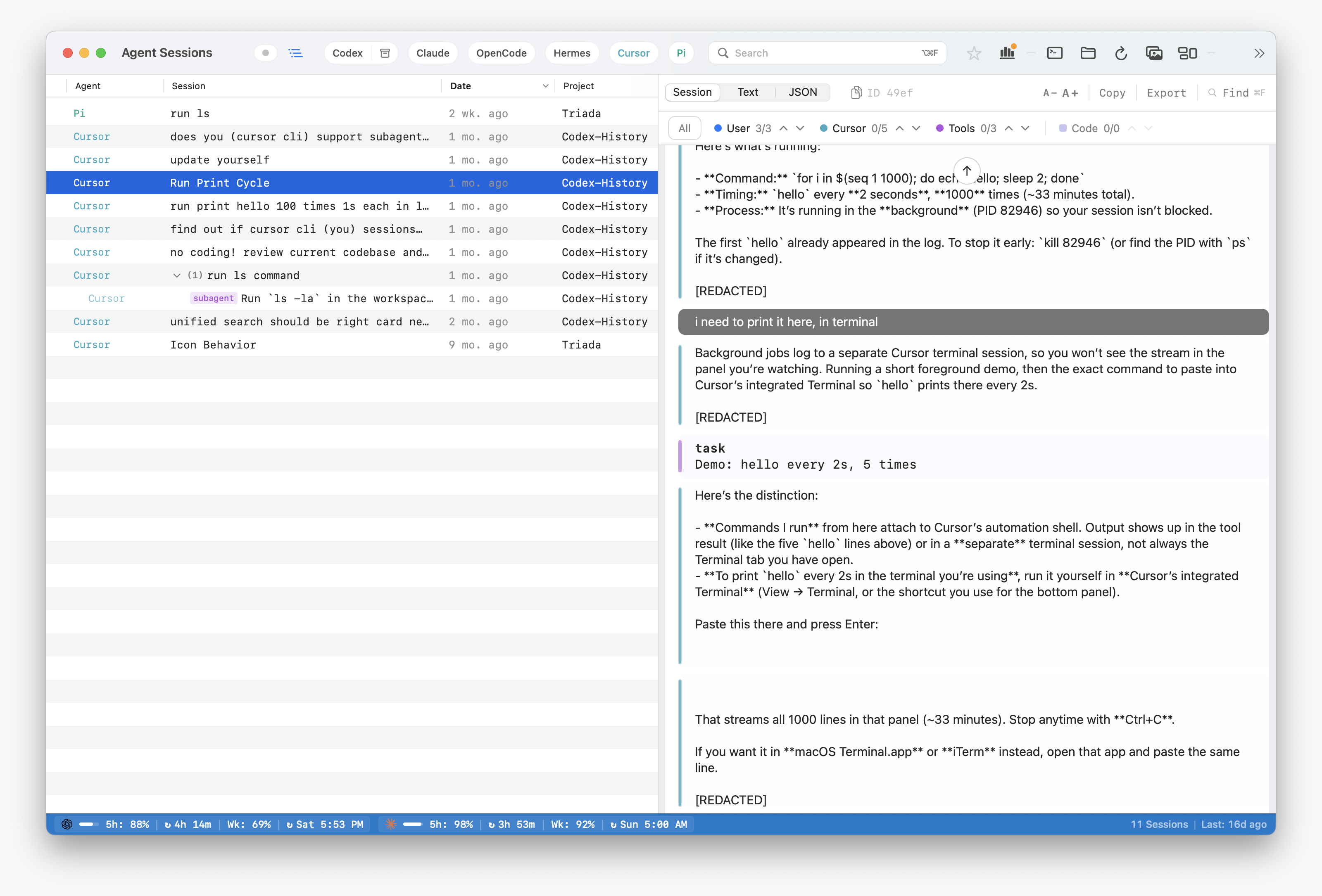
Sessions from Cursor's Agents Window and Agent CLI can contain the prompt, tool call, command output, or file path that explains a change. Agent Sessions makes that local Cursor Agent history searchable beside Codex, Claude, OpenCode, Hermes, OpenClaw, Gemini, Copilot, and Pi.
Agent Sessions supports chats created in Cursor's Agents Window and by Cursor Agent CLI. It does not decode IDE sidepane chats that exist only as message blobs in Cursor's database.
Where Cursor Agent Stores Local Data
Cursor Agent writes JSONL transcripts under Cursor's local data directory:
~/.cursor/projects/<project>/agent-transcripts/<session-id>/<session-id>.jsonlCursor also stores per-session chat metadata in SQLite databases:
~/.cursor/chats/<workspace-hash>/<session-id>/store.dbAgent Sessions uses the JSONL transcript as the primary source for readable events and uses store.db metadata for names, model hints, timestamps, and workspace context when available.
What Agent Sessions Does
- Lists Cursor Agent sessions beside other local coding-agent sessions.
- Full-text searches transcript text, command output, tool calls, tool results, errors, and file paths.
- Shows prompts, assistant responses, tool calls, and tool results from JSONL transcripts.
- Enriches sessions with Cursor chat metadata from
store.db. - Builds Cursor resume commands when the installed Cursor Agent command supports resume flags.
Cursor Agent support has been verified against Cursor 3.5.38 using the app-bundled CLI at /Applications/Cursor.app/Contents/Resources/app/bin/cursor.
What This Does Not Do
- Parse IDE sidepane chats from
store.dbwhen no Agent transcript exists. - Decode Cursor's protobuf message blobs from DB-only chat history.
- Upload Cursor transcripts to a hosted search service.
- Write into Cursor's local databases.