Agent Sessions app icon

Agent Sessions

• macOS • Open Source •

Session Hub for Codex CLI/Desktop/VS Code, Claude CLI/Desktop, Hermes CLI, Pi CLI, Cursor CLI, Gemini CLI, Copilot CLI, OpenCode CLI & OpenClaw CLI

Agent Cockpit is the live command center for active iTerm2 Codex CLI, Claude CLI, and OpenCode CLI sessions. Beyond live CLI monitoring, Agent Sessions is growing into a broader local-first hub for session history across CLI tools and desktop apps, with stronger Codex Desktop and Claude Desktop support, full Hermes CLI participation in the unified browser, and new Pi CLI discovery, search, filtering, and resume workflows.

local-first, open source, and built for terminal vibe warriors.

Download Agent Sessions 3.8 View on GitHub Follow on X

Install with Homebrew Tap

brew tap jazzyalex/agent-sessions
brew install --cask agent-sessions

9 Agents Supported

Browse sessions from CLI tools and growing desktop-app integrations in one unified window.

  • Codex CLI
  • Claude CLI
  • Hermes CLI
  • Pi CLI
  • Cursor CLI
  • Gemini CLI
  • GitHub Copilot CLI
  • OpenCode CLI
  • OpenClaw CLI

Codex Desktop and Claude Desktop sessions are also surfaced with desktop-specific labels, archive handling, and clearer chat/worktree project context.

Unified Search & Images

Apple Notes-style search across all agents and within a single session.

Inline image support and Image Browser for reviewing visual output from Codex CLI/Desktop, Claude CLI/Desktop, and OpenCode CLI sessions.

Local & Private

  • All processing on Mac
  • Reads local session storage
  • No cloud uploads or telemetry
  • Read-only by design

Agent Cockpit

Agent Cockpit is the live command center for active iTerm2 Codex CLI, Claude CLI, and OpenCode CLI sessions, with grouped active and waiting visibility, quick focus jumps, and compact/full cockpit modes.

Agent Cockpit in light mode Agent Cockpit in dark mode

Resume Any Session

Right-click any Claude CLI, Codex CLI, or OpenCode CLI session to copy the exact CLI resume command to your clipboard. Open in iTerm2 or Terminal.app in one step.

Saved Sessions

Saved Sessions window for managing archived sessions. Delete, reveal, and diagnose with archive status tooltips.

Usage Tracking

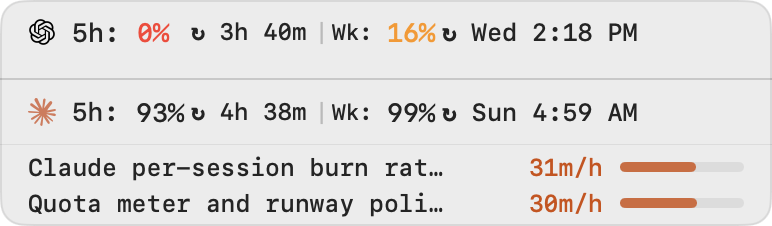
Track Codex CLI and Claude CLI usage in-app and in the menu bar. Power-aware probing and refresh cadence reduce idle load and energy spikes.

Analytics

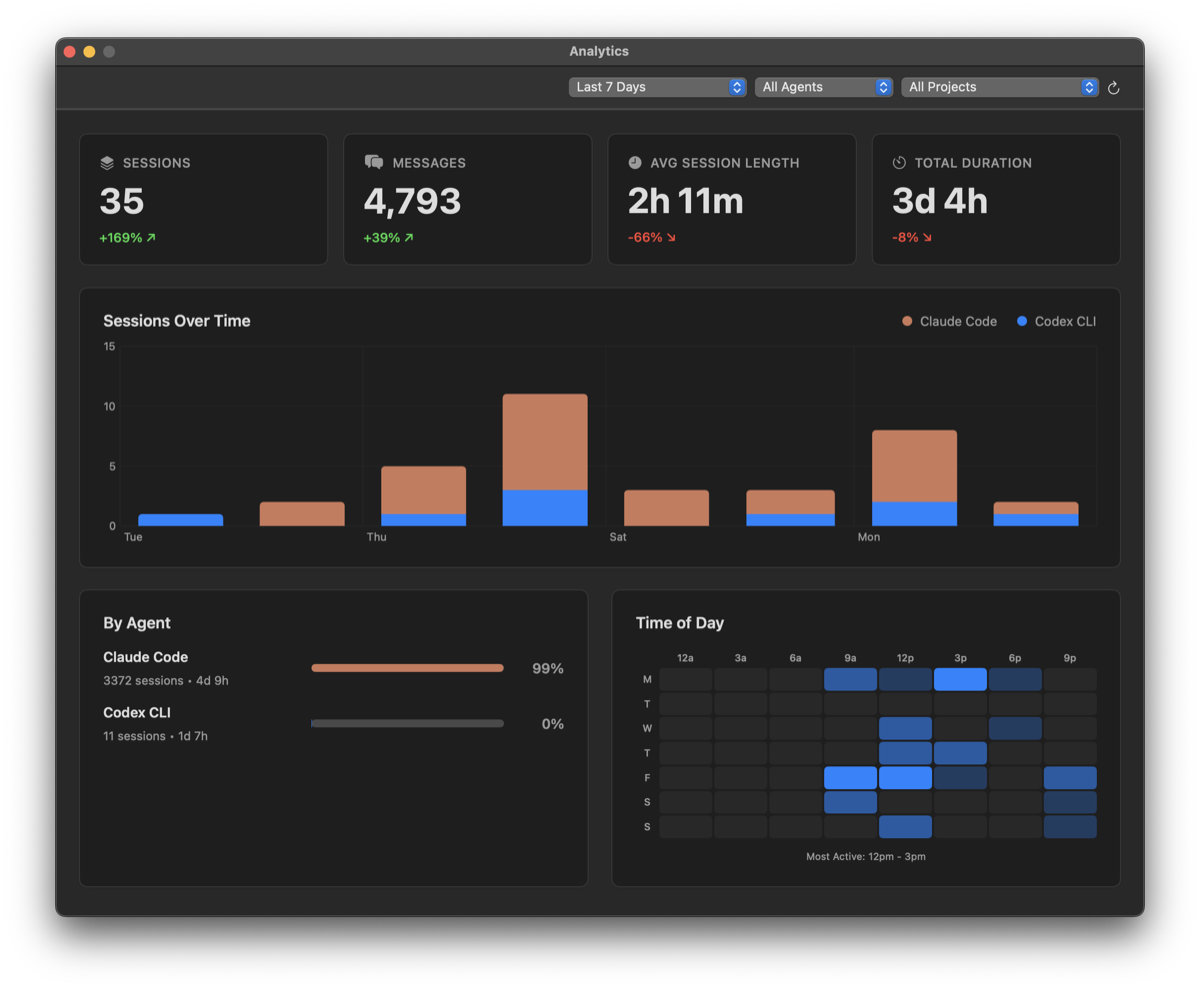
Interactive flip cards with sparklines and insights. Session trends, agent breakdowns, and time-of-day heatmaps.

Transcript view with search (Dark Mode)

Transcript view with search (Dark Mode)

Resume Codex CLI, Claude CLI, and OpenCode CLI sessions

Resume Codex CLI, Claude CLI, and OpenCode CLI sessions

Menu bar usage tracking with 5-hour and weekly percentages

Menu bar usage tracking with 5-hour and weekly percentages

Analytics dashboard with session trends and agent breakdown (Dark Mode)

Analytics dashboard with session trends and agent breakdown (Dark Mode)